
Blog
Cyber Essentials 2026: A Practical Readiness Checklist for UK SMEs
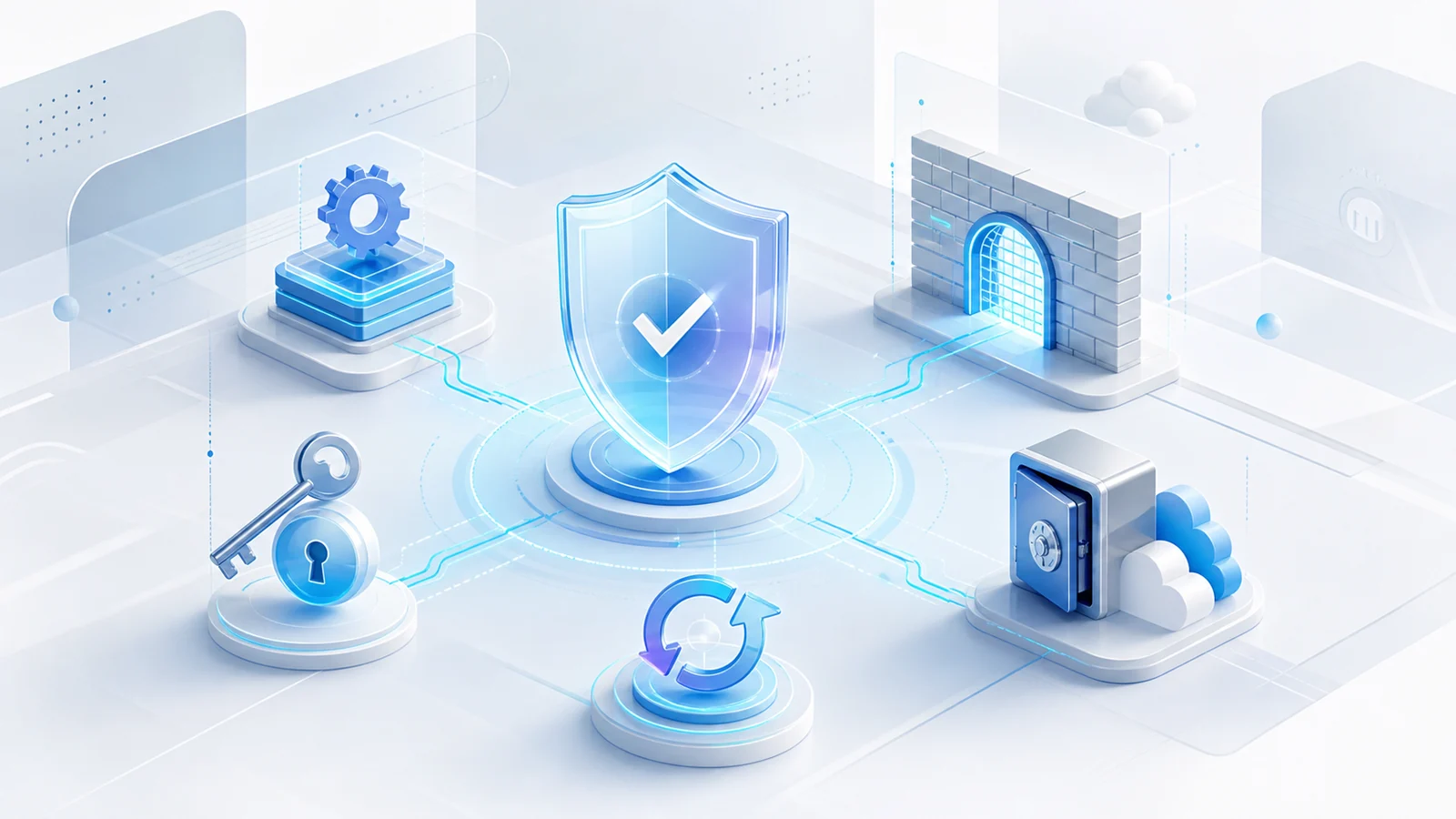
Cyber Essentials gives UK organisations a clear baseline for protecting internet-connected systems against common attacks. For a small or medium-sized business, the main challenge is rarely understanding why security matters. It is knowing exactly what is in scope, who is responsible for each control and what needs to change before the assessment begins.
Last reviewed: 21 July 2026. This is a practical readiness guide, not an assessment or a guarantee of certification. Always check the current official requirements and agree your scope with your chosen Certification Body.
At a glance
- Cyber Essentials covers five controls: firewalls, secure configuration, security update management, user access control and malware protection.
- Cyber Essentials uses a self-assessment with independent review; Cyber Essentials Plus tests the same protections through a more rigorous independent technical assessment.
- Version 3.3 applies to assessment accounts created on or after 27 April 2026.
- Cloud services that store or process organisational data must be included in scope, and cloud authentication must use multi-factor authentication (MFA) where it is available.
- Backups are strongly recommended by the NCSC, but they are not one of the Cyber Essentials technical requirements.
Cyber Essentials or Cyber Essentials Plus?
Both levels use the same five technical controls. Standard Cyber Essentials combines an organisation’s self-assessment with an independent review. Cyber Essentials Plus adds independent technical testing to check that the controls are working in practice.
For many SMEs, the standard level is a sensible starting point. Plus may be appropriate when a customer or tender requires it, or when the business wants a higher level of assurance. Certification assessments can only be carried out by recognised Certification Bodies within the IASME-managed scheme, so confirm the route and timetable with your chosen body before making commitments to customers.
Start with the scope, not the questionnaire
Scope is the boundary around the networks, hardware, software and cloud services covered by the assessment. The NCSC says this should normally cover the whole IT infrastructure used to run the organisation. A well-defined, separately managed subset can be used where necessary, but exclusions must be justified and the boundary agreed with the Certification Body.
Build a working inventory before answering questions. Include desktops, laptops, servers, phones, tablets, routers, firewalls, remote-working devices, relevant bring-your-own devices and the software they run. Include cloud services that store or process business data, such as Microsoft 365, Google Workspace, hosted accounting platforms, CRM systems and cloud storage. Cloud services cannot simply be left outside the scope.
Remote and home-working devices used for the business are normally in scope. A personally owned phone used only for native calls, texts or an MFA app is treated differently from a device that opens company email or files. Record the real use of each device rather than relying on an informal policy that no longer reflects how people work.
The five controls: a practical readiness check
1. Firewalls
Every in-scope device needs the protection of a correctly configured firewall, whether that is provided by a network device, the operating system or a cloud service. Check that default administrative passwords have been changed, management interfaces are not needlessly exposed to the internet, and inbound access is limited to services with a documented business need. Keep a record of who approves firewall changes and review old rules.
2. Secure configuration
New equipment and online services often arrive with settings intended for convenience rather than your specific risks. Remove or disable unnecessary accounts, applications and services; change default or guessable credentials; restrict automatic execution where required; and use suitable device-locking controls. A repeatable setup checklist for laptops, mobiles and cloud accounts is more reliable than configuring each one from memory.
3. Security update management
All in-scope software must be licensed, supported and kept up to date. This includes operating systems, applications, browser extensions, libraries and router or firewall firmware. Enable automatic updates where possible and remove unsupported software, or place it in a defined subset that prevents all traffic to and from the internet.
The 14-day rule needs careful reading. A vulnerability fix must be applied within 14 days of release when the vendor describes the issue as critical or high risk, gives it a CVSS v3 base score of 7 or above, or does not provide severity details. If one combined update includes any such issue, the update falls within the rule. The NCSC recommends applying all released updates within 14 days for optimum security, but states that this broader approach is not mandatory for the certification requirement.
If your estate still includes Windows 10, use our business migration guide to distinguish ordinary end-of-support devices from specialist lifecycle exceptions and plan the next step.
4. User access control
Create accounts only for authorised people and give each person the access needed for their role. Remove accounts promptly when someone leaves and review privileges when roles change. Administrative work should use a separate administrator account; that account should not be used for everyday email or web browsing.
Under v3.3, MFA must be implemented where it is available, and authentication to cloud services must always use MFA. IASME’s 2026 marking guidance says an organisation will fail if available MFA for a cloud service is not implemented, whether the option is free, included or paid. The updated requirements also give more prominence to passwordless methods such as passkeys and security keys. Where passwords remain in use, follow the detailed protection and password-quality requirements in the official document.
5. Malware protection
Choose an allowed malware-protection approach for each in-scope device or service and ensure it is actively managed. Depending on the platform, this may involve anti-malware software, application allow-listing or restricting applications to an approved store and signed software. Check that protection is enabled, updates automatically and has not been silently disabled on rarely used or remote devices.
What changed in 2026?
The v3.3 requirements apply to assessment accounts created from 27 April 2026. IASME describes most of the update as clarification, but several points deserve attention:
- Cloud is explicit: the definition of a cloud service is clearer, and a cloud service holding or processing organisational data cannot be excluded from scope.
- MFA marking is stricter: available MFA must be enabled for cloud services, including where it is a paid option.
- Scoping language is clearer: specified devices capable of inbound or outbound internet connections are in scope, and partial-scope exclusions need to be explained.
- Authentication guidance is clearer: v3.3 gives more prominence to passwordless methods and explains a wider range of MFA options. Check the official definitions before describing your chosen method in the assessment.
- Backup guidance is more prominent: backups remain outside the five certification controls, but the NCSC continues to recommend an appropriate backup solution.
Evidence and preparation checklist
The assessment questions ask you to describe the environment you actually operate. Gather accurate information first and use the IASME question set for your assessment date. For purchases from 27 April 2026, IASME identifies the current set as Danzell. A useful preparation pack includes:
- a plain-English scope statement, business locations and a simple network or boundary diagram;
- inventories of devices, operating systems, applications, network equipment, cloud services and relevant user-owned devices;
- supported-version and update records, including how critical or high-risk fixes are identified and completed within the required period;
- firewall and secure-build settings, with owners and an approval process for changes;
- lists of user, administrator and third-party support accounts, plus joiner, mover and leaver procedures;
- MFA status for every cloud service and a plan for any account that has not completed enrolment; and
- the malware-protection method used for each device type, including remote devices.
Do not treat the exercise as a one-off paperwork project. Assign an owner to each control and make inventories, access reviews and update checks part of routine IT management. Our 12-month IT strategy roadmap provides a practical cadence for that wider work. Keep backups and recovery testing in the security programme even though backups are not a Cyber Essentials requirement.
Frequently asked questions
Is Cyber Essentials compulsory for every UK business?
It is not a blanket legal requirement for every business. However, customers, supply-chain agreements and procurement exercises may require certification. Check the wording and required level before bidding or promising a completion date.
Can we leave Microsoft 365 or another cloud platform out of scope?
No, not when the service hosts your organisation’s data or services. The v3.3 requirements state that these cloud services must be in scope.
Do all software updates have to be installed within 14 days?
The mandatory 14-day requirement applies to fixes meeting the stated severity conditions, including critical or high-risk issues, CVSS v3 scores of 7 or above, and fixes whose severity is not disclosed. Applying every released update within 14 days is strongly recommended, but is not the broader mandatory rule.
Is a backup system enough to meet Cyber Essentials?
No. Backups are important for recovery, but they are not one of the five technical controls. You still need to meet every applicable requirement across firewalls, configuration, updates, access control and malware protection.
Can EA IT Consultancy certify our business?
Certification must be completed through an IASME-approved Certification Body. EA IT Consultancy can help you understand your estate, identify practical gaps and prepare your systems, but preparation support is separate from the independent certification decision.
Official sources and further guidance
- NCSC: Cyber Essentials Requirements for IT Infrastructure v3.3
- NCSC: Cyber Essentials overview and certification levels
- NCSC: Cyber Essentials help and resources
- IASME: Preview the current self-assessment questions
- IASME: April 2026 scheme update and v3.3 changes
Prepare with a clear, manageable plan
A good readiness review turns the scheme’s requirements into a short, owned action plan: define the scope, close known gaps, collect accurate evidence and keep the controls working after the assessment. Explore our cybersecurity consultancy and cloud managed services, or contact EA IT Consultancy to discuss practical preparation support.
Related Posts
A 12-Month IT Strategy for Small Businesses: A Practical UK Roadmap
-
Posted by
eaitconsultancy
Build a practical 12-month IT strategy covering assets, security, backups, suppliers, budgets and clear quarterly progress checks.